
Account and security
One account works across every space you belong to. Open your name at the bottom of the sidebar and choose Profile, or go straight to Account settings.
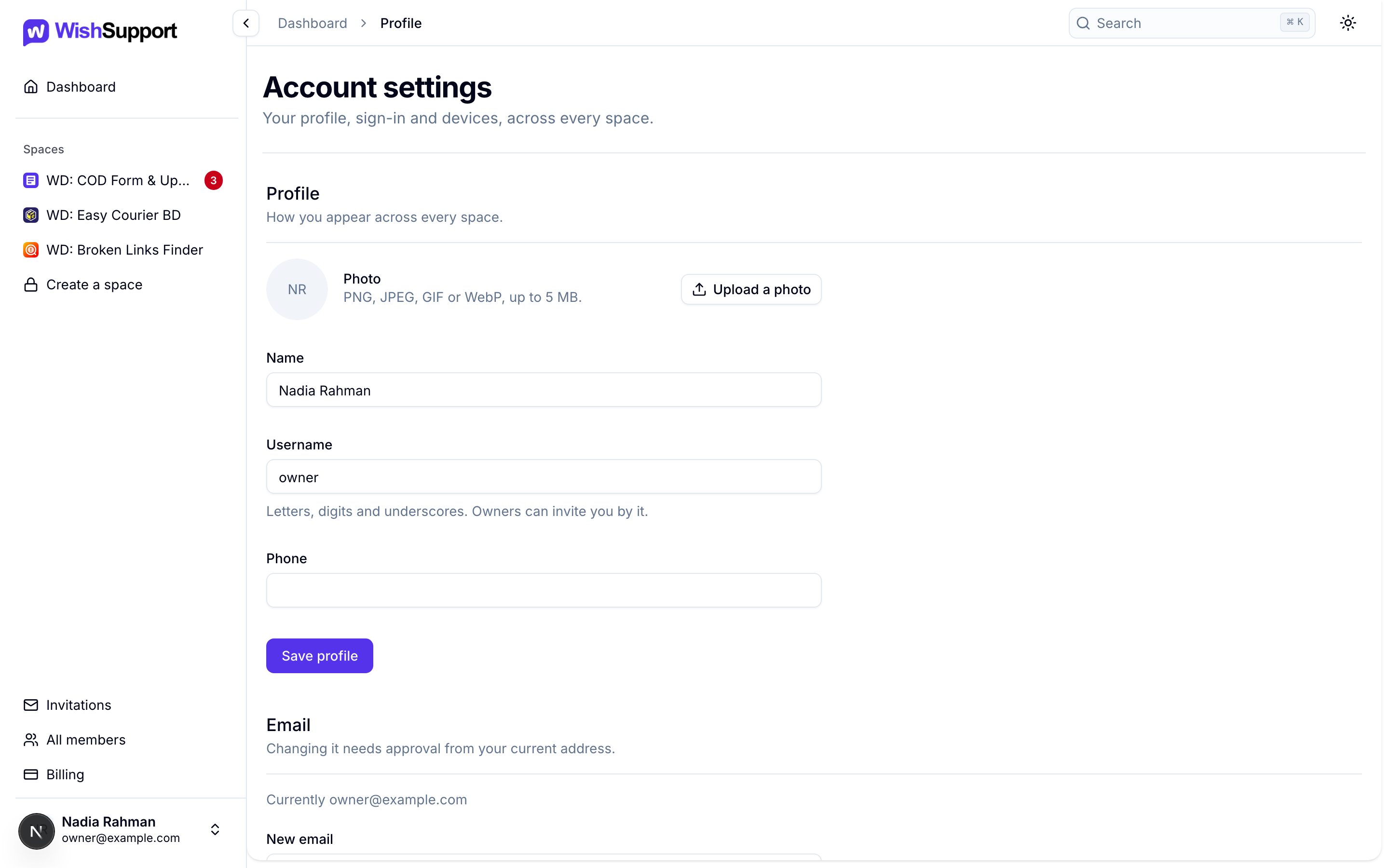
Update your profile
Change your photo (PNG, JPEG, GIF or WebP, up to 5 MB), name, username and phone number, then choose Save profile. Your username is letters, digits and underscores, and space owners can invite you by it.
Conversations keep the name you had when you sent each message, so changing your name later does not rewrite past replies.
Change your email
Enter a new address under Email. The change needs approval from your current address, so we email it a confirmation link first; your sign-in email changes once you approve it.
Change your password
Under Password, enter your current password and the new one twice. Changing it signs you out on every other device.
Forgot your password?
- Open Forgot password? from the sign-in page.
- Enter the email address on your account.
- Open the reset link we email you and choose a new password.
No email? Check your spam folder and that you used your account’s address. Reset links expire; request a new one if yours has.
Sessions
Sessions lists every device where your account is signed in, with This device marking the one you are using. Choose Sign out beside a session to end it, or Sign out everywhere else to end all of them except this one.
To sign out of the device in front of you, open your name at the bottom of the sidebar and choose Sign out.
Keep your workspace safe
- Give everyone their own account; never share a sign-in.
- Sign out everywhere else if you lose a device or used a shared computer.
- Keep API keys on your server, and revoke and replace any key that may have leaked.
- Keep secrets and payment details out of messages and attachments.
For your team’s access, see Workspace settings.